
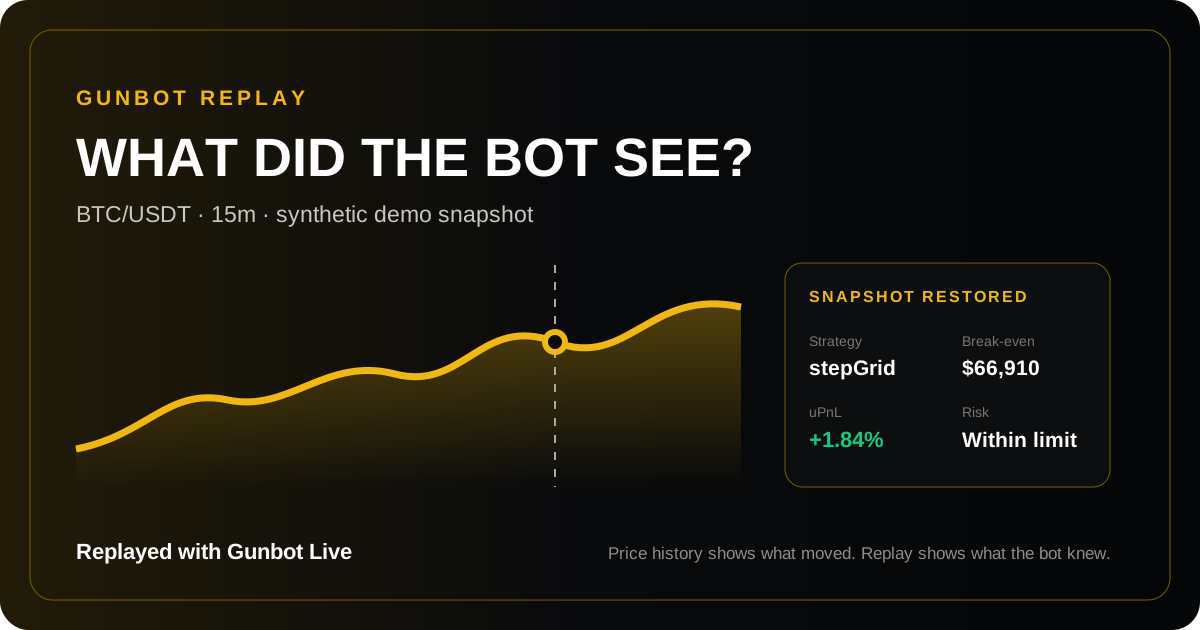
Most trading tools can tell you where price went. Some can show where an order filled. Gunbot Replay goes after the question that actually matters: what was happening inside the trading system at that exact moment?
Gunbot Replay turns the chart into a time machine for your bot. Move the cursor back across historical candles and Gunbot Live reconstructs the nearest recorded state for the selected exchange and pair. Instead of looking at an old price with today’s context, you can inspect the market, strategy, position, balances, break-even level, profit and loss, return on equity, and the extra signals your bot had at the time.
Price history is not trading history
A candle explains only what the market printed. It does not explain what your bot knew, what position it was carrying, which strategy was active, where break-even stood, or whether a decision was reasonable with the information available then.
That missing context is why post-trade analysis often becomes guesswork. Looking backward from the present creates hindsight bias: the move now appears obvious, while the uncertainty that existed in the moment disappears. Gunbot Replay restores that missing layer. It lets you review the past from the bot’s point of view, not merely from the final shape of the chart.
One movement, an entire state restored
When you move through time on a supported chart, Replay matches the cursor with the closest available historical snapshot and temporarily rebuilds the pair statistics around it. Depending on the market and data available in that snapshot, the view can bring back details such as:
- the bid, ask, last price, and candle context;
- the active strategy, buy method, sell method, and strategy-specific values;
- average entry and break-even price;
- position size, balances, available funds, and margin context;
- realized and unrealized PnL, plus ROE;
- liquidation level, open-order context, order-book data, and sidebar indicators when recorded.
The result feels fundamentally different from reading a static log. Chart and bot state meet on the same timeline. You can move from one critical candle to another and watch the operational story change with the market.
Understand the “why,” not only the “what”
Why did the bot wait? Why did an entry that looks late today make sense at the time? When did unrealized PnL deteriorate? Was break-even moving? Which strategy values were present just before a reversal? Replay gives those questions a visual investigation workflow.
This is especially powerful when a trade surprises you. Instead of collecting disconnected screenshots, logs, and exchange records, you can start with the event on the chart, move to the relevant moment, and inspect the reconstructed trading context beside it. The chart becomes an explanation surface.
A new way to debug and improve automation
Gunbot Replay is useful after both good and bad outcomes. A losing trade may reveal a market regime the strategy handled poorly, a position that stayed exposed longer than expected, or a signal that was interpreted correctly but invalidated by the next move. A winning trade may expose hidden risk that the final PnL would otherwise conceal.
That makes Replay valuable for strategy review, incident analysis, support, and learning. It can help you:
- reconstruct a surprising bot decision without relying on memory;
- compare the same strategy across different market phases;
- spot where position, risk, or signal state began to change;
- explain a trading sequence to a teammate or support contact;
- separate what was knowable at the time from what became obvious afterward.
Replay is not backtesting
Backtesting asks how strategy rules might have performed across historical market data. Gunbot Replay asks what your actual recorded trading environment looked like around a specific moment. One is a simulation and comparison tool; the other is a forensic lens into bot and market context. Used together, they connect strategy research with evidence from real operation.
Replay also keeps historical inspection separate from operational order management. Its purpose is to reconstruct and explain the selected pair’s recorded state while the live order and fill controls remain grounded in the current account state.
Why Gunbot Replay feels unique
Trading platforms usually split the evidence into separate places: chart here, bot logs there, account history somewhere else, strategy values visible only now. Gunbot Replay unifies the most important parts around a single gesture and a single point in time.
That is the breakthrough: you do not simply replay the market—you replay the relationship between the market and the bot. You see price action together with the automation state that responded to it. The past stops being a flat record and becomes something you can investigate.
How to use Gunbot Replay
- Open a configured pair in the Gunbot Live chart.
- Move the chart cursor to the historical candle or event you want to investigate.
- Watch the pair and strategy statistics shift to the nearest available recorded snapshot.
- Compare nearby moments to understand how market, position, PnL, risk, and strategy state evolved.
- Use the evidence to refine monitoring, configuration, and future tests—not as a promise of future performance.
Historical depth and the exact fields available depend on the snapshots recorded by the connected Gunbot instance. Replay does not predict the market and it does not guarantee better results. What it delivers is rarer and more useful: a clearer account of what actually happened.
Replay becomes more useful when its evidence informs the rest of the workflow. Use crypto trading bot risk management to review exposure and drawdown, examine spot and futures crypto arbitrage assumptions such as fees and funding, or refine the logic behind custom JavaScript trading strategies.
Trading leaves a trail. Now you can follow it.
Automated trading should not be a black box. With Gunbot Replay, every recorded moment can become a place to ask better questions: What did the market look like? What did the bot see? What was the position doing? What changed next?
Rewind the chart. Restore the context. Understand the trade.