
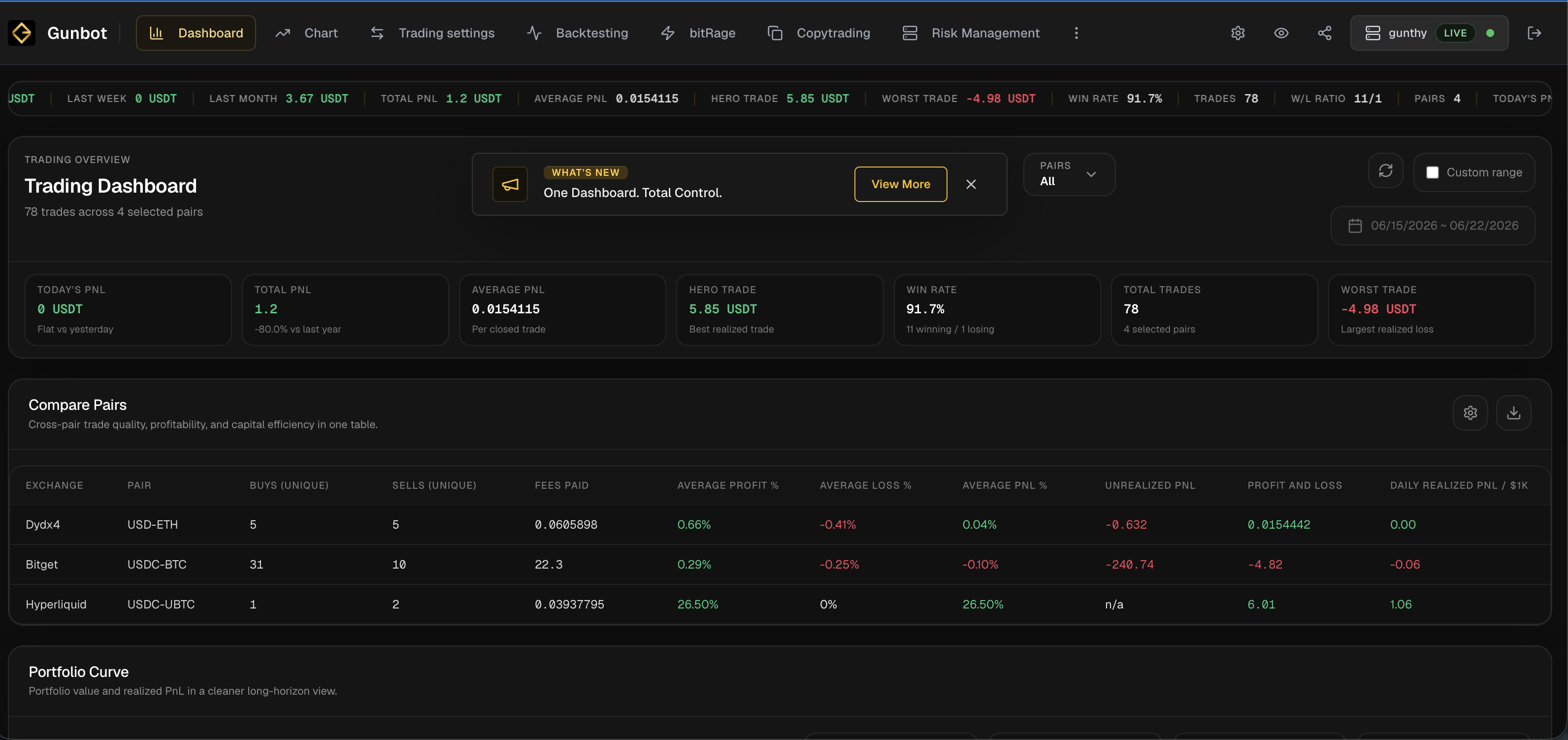
Use the dashboard to check portfolio value, realized PnL, assets, balances, orders, fills, pair state, charts, and current bot activity. It helps you see what automation is doing now instead of reconstructing it from logs later.
What You Can See
The dashboard is meant to tell you what the connected setup is doing right now. When the data is available, you can read portfolio value, realized PnL, asset comparison, selected pair, exchange detail, open orders, fills, trading state, and whether the bot looks active, stopped, stale, or disconnected.
Why It Matters
Automated trading is not set-and-forget infrastructure. You need to check portfolio movement, current orders, strategy behavior, exchange responses, and whether dashboard state matches your intended configuration.
Example Workflow
Before changing a strategy, check portfolio value, asset allocation, recent fills, active orders, charts, and balances. If something looks off - for example the trading frequency is lower than expected: investigate settings, risk, or logs before adding more exposure.
Trading Reality
It gives Gunbot a browser workspace for monitoring, strategy work, backtesting, risk review, history, and exchange-connected operations. These pages explain what the product does. Your account data stays on your local trading bot, behind login.
Operational Limits
The dashboard depends on the connected Gunbot instance, the exchange API, and the network between them. It can make problems easier to notice, but it does not remove market risk or take responsibility away from you: exchange permissions, strategy settings, open orders, and capital allocation still need your review.
Plain Definition
A live trading dashboard is the operating screen for current trading state. It should answer basic operating questions quickly: what is the portfolio worth, which assets are held, which orders are open, which pair is selected, what has filled recently, what strategy is active, and whether the data looks fresh enough to trust.
Portfolio Analysis And Asset Comparison
Portfolio value helps you see whether the account is growing, shrinking, or drifting because asset prices changed. Asset comparison helps reveal concentration, idle funds, unexpected quote/base exposure, and balances that no longer match the intended strategy. Realized PnL should be read next to open exposure, because closed-trade profit can hide current drawdown.
Dashboard Checks
| Question | Why it matters |
|---|---|
| Is the displayed pair the pair I intend to inspect? | Changing settings or fetching history for the wrong market can corrupt review and risk decisions. |
| Are balances and open orders fresh? | Old data can make you believe exposure is lower or higher than it really is. |
| Does portfolio movement match recent fills? | Mismatch can point to missing history, fee drag, exchange data problems, or open exposure. |
| Is the bot live, stopped, demo, or restricted? | The same interface should not imply that every action is allowed in every mode. |
Good Operating Routine
A safer operating routine starts with portfolio and balances, then moves to active orders, chart context, recent fills, strategy statistics, exposure, and drawdown. Direct exchange verification still matters for emergencies and account-level actions.
External references
- official Gunbot Monitor overview: Official Gunbot documentation for centralized multi-bot monitoring, PnL, ROI, risk/reward, capital efficiency, pair-level views, remote control, and notifications.
FAQ
Is the dashboard the same as an exchange interface?
No. Exchange interfaces show account and market tools from the exchange. Gunbot Live focuses on making trading automation accessible, many data points are the same but the focus is different.
Can dashboard data be delayed?
Yes. Network issues, exchange API limits, or bot connection problems can delay or prevent data updates.
Why is portfolio analysis important for automated crypto trading?
Automation can trade while you are away. Portfolio analysis helps reveal whether the bot has accumulated unexpected assets, left funds idle, increased exposure, or produced realized results that differ from your intent.
What is the difference between portfolio value and realized PnL?
Portfolio value describes current account or setup value when present. Realized PnL describes closed-trade outcomes. A strategy can show realized gains while still carrying open exposure or unrealized drawdown.
Can a dashboard replace exchange statements?
No. A dashboard is an operating view. Exchange statements and direct exchange account data remain important for verification, accounting, and emergencies.
Last updated: