
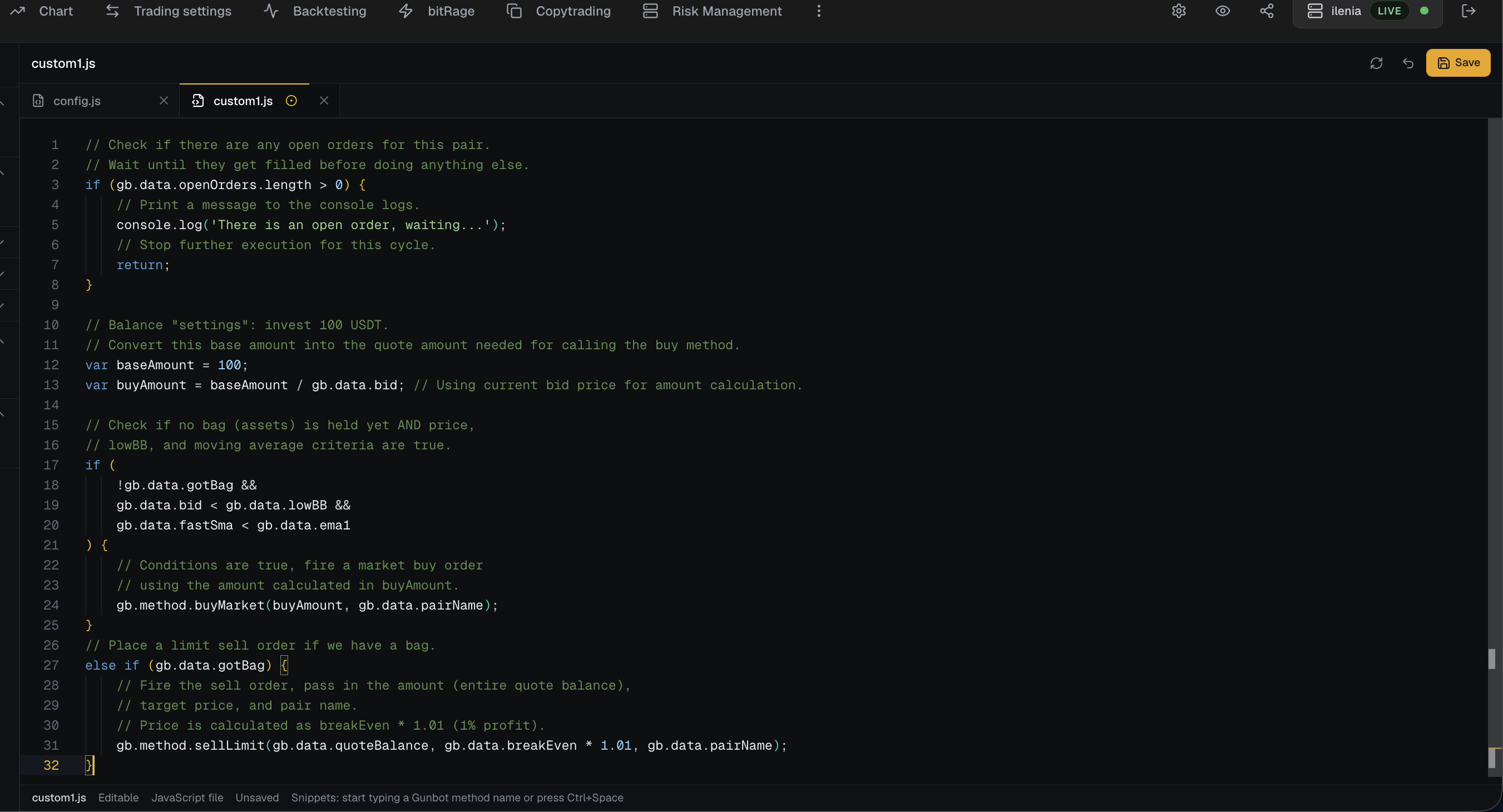
The code editor gives you a browser-based way to inspect and edit supported files such as configuration, AutoConfig, and custom strategy assets when permissions allow it.
What This Feature Does
The code editor keeps supported local bot files close to the workspace. When permissions allow it, you can work on configuration, autoconfig, and custom strategy code without switching tools.
Good Use Cases
Editing custom strategy JavaScript. Reviewing autoconfig logic. Inspecting safe configuration files. Making careful changes to local configuration files.
Risks And Limits
The limits matter: A small code edit can change trading behavior. Secrets should never be exposed in shareable exports.
Trading Reality
It gives Gunbot a browser workspace for monitoring, strategy work, backtesting, risk review, history, and exchange-connected operations. These pages explain what the product does. Your account data stays on your local trading bot, behind login.
Operational Limits
The dashboard depends on the connected Gunbot instance, the exchange API, and the network between them. It can make problems easier to notice, but it does not remove market risk or take responsibility away from you: exchange permissions, strategy settings, open orders, and capital allocation still need your review.
Plain Definition For Builders
A code editor inside a trading platform gives you direct access to supported configuration and strategy files. It is useful for builders, but it also creates a strong responsibility to prevent accidental edits, secret exposure, and demo-mode changes.
Files That Often Matter
The files that matter most are the ones that define behavior: configuration files, autoconfig files, custom JavaScript strategies, custom strategy metadata for frontend settings, and safe exports that remove secrets before support sharing.
Safe Editing Principles
Safe editing starts by keeping API keys, secrets, passwords, passphrases, and sensitive wallet fields out of shareable exports. Make one live-affecting change at a time, keep backups of known-good files, and validate JSON or JavaScript before relying on changed behavior.
FAQ
Should everyone edit code?
No. Use the code editor only when you understand the files you are changing.
Can the editor expose secrets?
Since it exposes internal files the bot uses, a logged-in user can also view sensitive data.
Why include a code editor at all?
Advanced strategy builders need to work with custom JavaScript, autoconfig rules, and configuration files without leaving the working dashboard.
Last updated: